
XO Sports
XO SportsSports
3.98.00 Reviews
- Version
- 1.1.88
- Installs
- 10.00K
- Age Rating
- Everyone
Screenshots

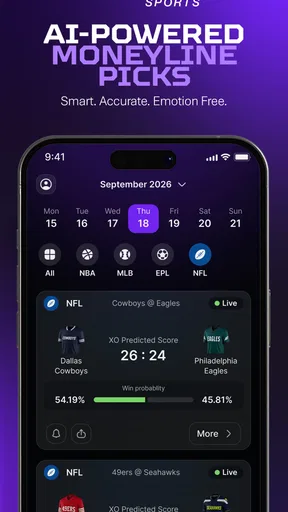
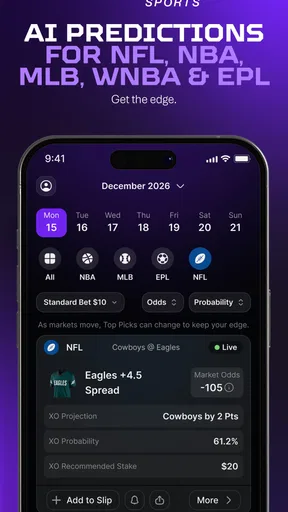

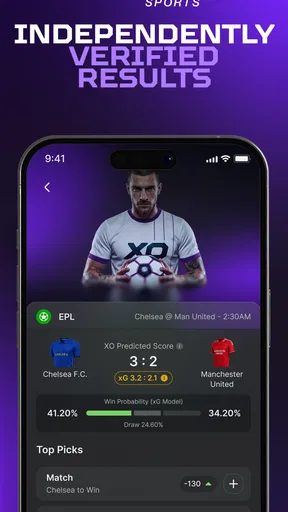
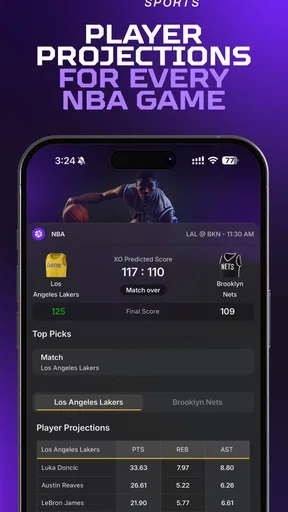
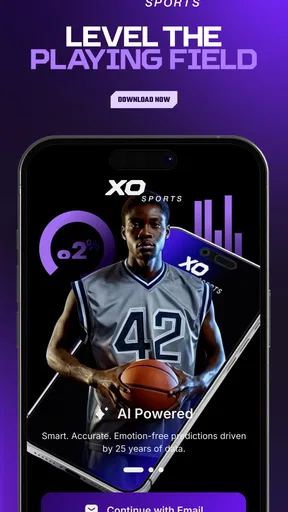
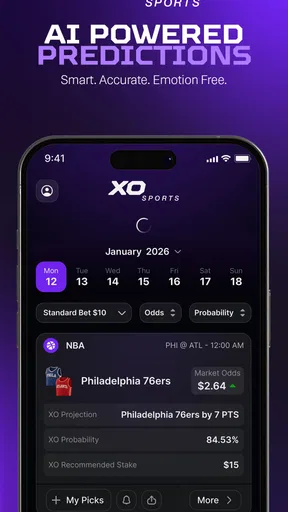
Our Review of XO Sports
 Analysis by Appyee
I approached XO Sports as a sports app for a household rather than as something used by only one person. That distinction matters. A sports-picking tool can feel simple when one person controls the phone, but shared use raises practical questions: who is making a selection, which account is active, whether another family member can understand the screen quickly, and how much trust you place in the information before acting on it. My overall impression is that XO Sports is easy to consider for casual sports fans who want a focused way to make picks, but it needs sensible boundaries when several people use the same device.
The app comes from XO Sports and is free to install, with optional purchases shown from $7.99 to $179.99 per item. That combination makes the first step relatively easy, but it also means I would not hand the phone to a child or let several household members tap through purchases without agreeing on who is responsible. The app is rated for Everyone, which makes it approachable from an age-content perspective, yet an Everyone label is not the same thing as a recommendation for unsupervised spending or decision-making.
How XO Sports fits into a shared household routine
When I bring XO Sports into a shared household routine, I’d keep the focus on making the sports conversation enjoyable without letting one phone blur who is browsing, deciding, or responsible for an action. A simple turn-taking habit can make the experience calmer, especially when different family members have different levels of familiarity with sports picks. That routine also makes it easier to decide what should happen before the app is opened.
A realistic evening with one phone and several opinions
Imagine a household watching sports together while one person has XO Sports open. One family member wants to make a pick, another wants to check the matchup, and someone else is simply curious about how the selection works. In that situation, the app can become a conversation tool rather than a private utility. I like that use because it encourages people to explain why they favor one choice instead of silently making decisions in isolation.
The important habit is to treat the phone as a shared workspace only while everyone is looking at the same decision. Before anyone taps a purchase-related control or confirms a selection, I would say out loud whose turn it is and what the action means. That small pause prevents the most common shared-device problem: one person assumes they are browsing while another person believes they are committing to something.
XO Sports is more suitable for a household that enjoys discussing sports than for a group that wants a complete family entertainment hub. Its store summary, “Pick Smarter. Win Bigger.”, points toward making sports choices, so I would not expect it to replace a live-score service, a team news app, or a general sports community. Its value is narrower: it gives the household a place to focus on picks and compare opinions.
For a casual group, that narrow focus can be a strength. There are fewer unrelated sections competing for attention, and a person who already follows sports can understand the basic purpose quickly. The trade-off is that anyone looking for deep analysis, broad league coverage, detailed statistics, or a full social experience may find the experience limited compared with using several specialized sports apps together.
What I would do before passing the phone around
My first rule would be simple: open the app, identify the active user, and decide whether the session is for viewing or acting. I would not assume that a shared phone automatically creates shared ownership. If two adults use the same device, each should know whether the current screen represents their own choices or someone else’s. If a child is watching, I would keep the adult in control of any action involving a purchase or a meaningful commitment.
This is not a criticism of the app’s sports purpose. It is a practical response to the way free apps with optional purchases behave on family devices. XO Sports can be free to start, but the presence of paid items changes the household routine. I would review the device’s purchase protections before using the app with children or guests, and I would avoid leaving the app open on a screen where an accidental tap could be misunderstood.
Another useful boundary is time. I would use one short session to review the available choices, then close the app and discuss the decision. Keeping the app open all evening can turn a relaxed sports conversation into repeated checking and second-guessing. For me, the better experience comes from deciding how much attention the app deserves before opening it.
Account boundaries matter more than the shared screen
A shared phone does not necessarily mean a shared account. I would keep personal sign-in details, payment access, and decision history separate whenever the app or device allows that distinction. If the same account is used by everyone, I would make sure the household understands that actions may appear to belong to one person even when several people were involved.
This is especially important for couples, roommates, and older children. A teenager might be perfectly capable of understanding a sports pick but still not be the person who should approve a purchase. An adult guest might be allowed to browse but not change an existing choice. These are household rules, not features I would assume XO Sports provides automatically.
I also would not use the app as a substitute for a family agreement. The Everyone content rating helps establish that the subject matter is broadly accessible, but it does not answer questions about maturity, money, or personal responsibility. In my experience, clear verbal rules work better than vague assumptions: browsing is open, actions are announced, and purchases belong to the account holder.
Coordinating picks without creating confusion
When several people want to participate, I would use a simple turn-taking method. One person reads the available option, each participant gives a reason, and the account holder makes the final tap. That workflow keeps the app from becoming a tug-of-war over the phone and makes it obvious who approved the action.
A second useful method is to separate opinion from execution. Everyone can discuss a pick, but only one person should operate the device at the moment of confirmation. This reduces accidental changes and makes later disagreements easier to understand. If the group remembers the reasoning, a different result does not automatically mean the process was careless.
I would also avoid presenting XO Sports as an authority that guarantees an outcome. The phrase about picking smarter may encourage a more considered approach, but no sports-picking app can remove uncertainty from sports. The responsible use is to treat the app as a decision aid and conversation starter, not as a promise of success.
That distinction is one of the app’s most important household lessons. A confident child may repeat an adult’s prediction as if it were a fact. A friend may assume that a suggested choice is safer than it really is. I would explain that the app organizes a choice; it does not make the choice risk-free.
What the version and platform requirements mean in practice
The current version is 1.1.88, and the app requires Android 7.0 or later. For a household with a newer phone, that requirement should be straightforward. The more relevant point is device age: if one family member uses an older Android phone, check compatibility before planning a shared routine around it.
This matters in homes where children use hand-me-down devices or where one person keeps an older phone as a secondary screen. A shared household plan can fail simply because the intended device cannot install or run the app. I would test the phone that will actually be used, rather than assuming that compatibility on one family member’s device applies to everyone else.
The app has passed the early stage of being completely unknown, with over ten thousand installs, but its audience is still relatively focused. Its average rating is 3.9 from around forty ratings, so I would read that as a mixed but useful signal rather than a guarantee. The small review base makes my own trial more important: I would check whether the layout feels clear to every intended user before relying on it for a regular household routine.
Age, trust, and responsible supervision
Because XO Sports carries an Everyone rating, I can imagine using it in a family setting where younger viewers are present. Still, age suitability and financial suitability are separate questions. A child may understand the sports content while not understanding the consequences of tapping through a paid item. I would keep payment decisions with an adult and explain that a free download does not mean every action inside the app is free.
The optional purchase range is broad, from $7.99 to $179.99 per item. I would not leave that detail to chance on a shared device. Before inviting children or visitors to explore, I would check the phone’s purchase authentication and make the account holder’s role clear. If the device is used by several adults, I would still ask before any transaction because an unlocked phone can blur responsibility.
Trust also applies to the sports information itself. I would encourage younger users to ask why a pick was made and to compare it with their own understanding of the teams or event. That turns the app into a learning conversation about uncertainty, evidence, and disagreement. It is healthier than allowing a confident-looking screen to end the discussion.
For adults, the same principle applies in a different way. I would be cautious if someone in the household tends to chase losses, make emotional decisions after a disappointing game, or treat every pick as a test of personal skill. In that situation, XO Sports may add pressure rather than enjoyment. The app is better suited to measured, occasional use than to compulsive checking.
Where it beats ordinary alternatives
The usual alternative is to use a search engine, a general sports news app, and a notes app to collect information before making a decision. That approach can provide more context, but it also scatters the household conversation across several screens. XO Sports has an advantage when the group wants a more direct path from sports discussion to a pick.
It can also be more approachable than a specialist statistics platform for relatives who do not want dense tables or advanced analysis. A casual fan may prefer a focused screen that keeps attention on the choice. That simplicity is valuable during a game night, especially when the goal is participation rather than a full research project.
On the other hand, a dedicated news or statistics app is the better companion when the household needs injury updates, historical comparisons, schedules, or detailed context. I would not use XO Sports alone to investigate every factor behind a decision. My preferred workflow would be to gather enough background from a trusted sports source, then use XO Sports for the actual picking conversation.
It is also not the right replacement for a private family chat. Messaging tools are better for recording who said what, especially when people are in different places. XO Sports makes more sense when the users are together or when one person has clear responsibility for the account and the action.
Small workflow improvements that make a difference
My first practical tip is to make a screenshot or written note of the group’s reasoning before finalizing anything important. I would not treat that as an app feature; it is simply a household habit. It helps separate a thoughtful decision from a later memory that everyone “always knew” the result.
My second tip is to use a single designated operator during a shared session. Passing the phone between several people sounds democratic, but it increases the chance of an accidental tap, an unexplained change, or a purchase prompt being handled by the wrong person. One operator keeps the process clean while everyone else remains involved through discussion.
My third tip is to set a stopping point. Once the household has reviewed the choice and agreed on who is responsible, close the app instead of repeatedly reopening it. This is particularly useful for people who become anxious when they keep checking a decision. XO Sports works best as a defined part of the routine, not as a constant background activity.
A fourth insight is to distinguish a shared-device session from a shared financial decision. Two people can enjoy discussing a pick while only one person has authority over purchases. Making that distinction explicit prevents an otherwise harmless family activity from becoming an argument about consent or responsibility.
Who should use it, and who should skip it
I would recommend XO Sports to sports fans who want a focused picking experience, couples or friends who enjoy comparing opinions, and households comfortable setting clear rules around a shared phone. It is especially appealing when the group wants something lighter than a full research workflow and more organized than simply calling out predictions during a game.
I would be more cautious about recommending it to someone who expects comprehensive sports coverage, advanced analytical tools, or a guaranteed edge. The app’s purpose is specific, and its free entry point should not be confused with unlimited value. Anyone sensitive to in-app spending should also decide in advance whether the purchase options fit their budget and habits.
Families with young children can use it as a supervised discussion activity, but I would not give a child independent control of a shared account or payment-enabled device. The Everyone rating makes the content broadly accessible, not automatically appropriate for unsupervised transactions. That boundary is essential.
My household verdict
After looking at XO Sports through the lens of shared use, I see a practical sports app with a clear role. It can bring a household’s opinions into one place and make a casual picking session feel more deliberate. The strongest experience comes when one adult controls the account, everyone understands whether the session is for browsing or acting, and the group treats picks as uncertain decisions rather than promises.
I appreciate the free starting point and the focused sports purpose, but I would not ignore the optional purchases or the need for account discipline. The broad price range makes supervision worthwhile, especially on a family device. I would also pair the app with a reliable sports information source when the decision requires more context than a focused picking screen can provide.
For me, the final question is not whether every member of the household can open the app. It is whether everyone can use it without confusing access, authority, and responsibility. If the answer is yes, XO Sports is worth trying for shared sports conversations. If the household needs deep analysis, strict separation between users, or a completely purchase-free experience, a different tool—or a combination of ordinary sports and messaging apps—will be the better choice.
Verdict
Strengths of XO Sports
- Simple interface makes sports content easy to browse.
- Covers multiple sports in one convenient app.
- Useful for checking updates while on the go.
- Lightweight design should work well on many devices.
- Suitable for casual fans seeking quick sports information.
Limitations of XO Sports
- Content depth may vary between different sports.
- Some features may require a stable internet connection.
- Advertising can interrupt browsing in the free version.
- Navigation may feel limited for users wanting advanced filters.
- Not ideal for fans seeking extensive historical statistics.
Similar Picks in This Category
View All
BeSoccer: Soccer Live Score
BeSoccer apps4.3

Cricbuzz - Live Cricket Scores
Cricbuzz.com3.7

NFL
NFL Enterprises LLC2.4

Da Fit
MO YOUNG LIMITED3.6

ESPN
Disney4.5

LiveScore: Live Sports Scores
LiveScore Limited4.5
Frequently Asked Questions
What is XO Sports, and what can I use it for?
XO Sports is a sports-focused application designed to help users follow sporting content, discover updates, and access information related to their favorite teams, leagues, or events. Depending on the version and region, available features may include schedules, scores, news, statistics, notifications, or media content. Before downloading, check the store description to confirm which sports and services are currently supported.
Is XO Sports free to download and use?
XO Sports may be available as a free download, but some features can depend on advertising, subscriptions, in-app purchases, or account-based services. The exact pricing structure may vary between Android and iOS and can also differ by country. I recommend reviewing the application’s store listing and purchase terms before registering or activating any premium feature.
Do I need to create an account to use XO Sports?
The need for an account depends on how you intend to use XO Sports. Basic browsing may be available without registration, while personalized notifications, saved teams, premium content, or synchronized preferences may require an account. During testing, users should pay attention to the requested permissions and registration details, especially if they prefer not to share personal information.
Does XO Sports provide live matches or official sports broadcasts?
XO Sports should not automatically be assumed to offer live match streaming or official broadcasts. Many sports apps focus on scores, schedules, news, statistics, and notifications, while live video may require separate rights, a subscription, or availability in specific territories. Check the app’s current description and supported content before downloading if live coverage is your main reason for using it.
Is XO Sports safe and compatible with my device?
XO Sports should be downloaded only from the official Google Play Store or Apple App Store, where you can review the developer information, permissions, ratings, update history, and privacy details. Compatibility depends on your Android or iOS version and device hardware. Keep the operating system updated, avoid unofficial APK files, and review permissions before granting access to your data.
